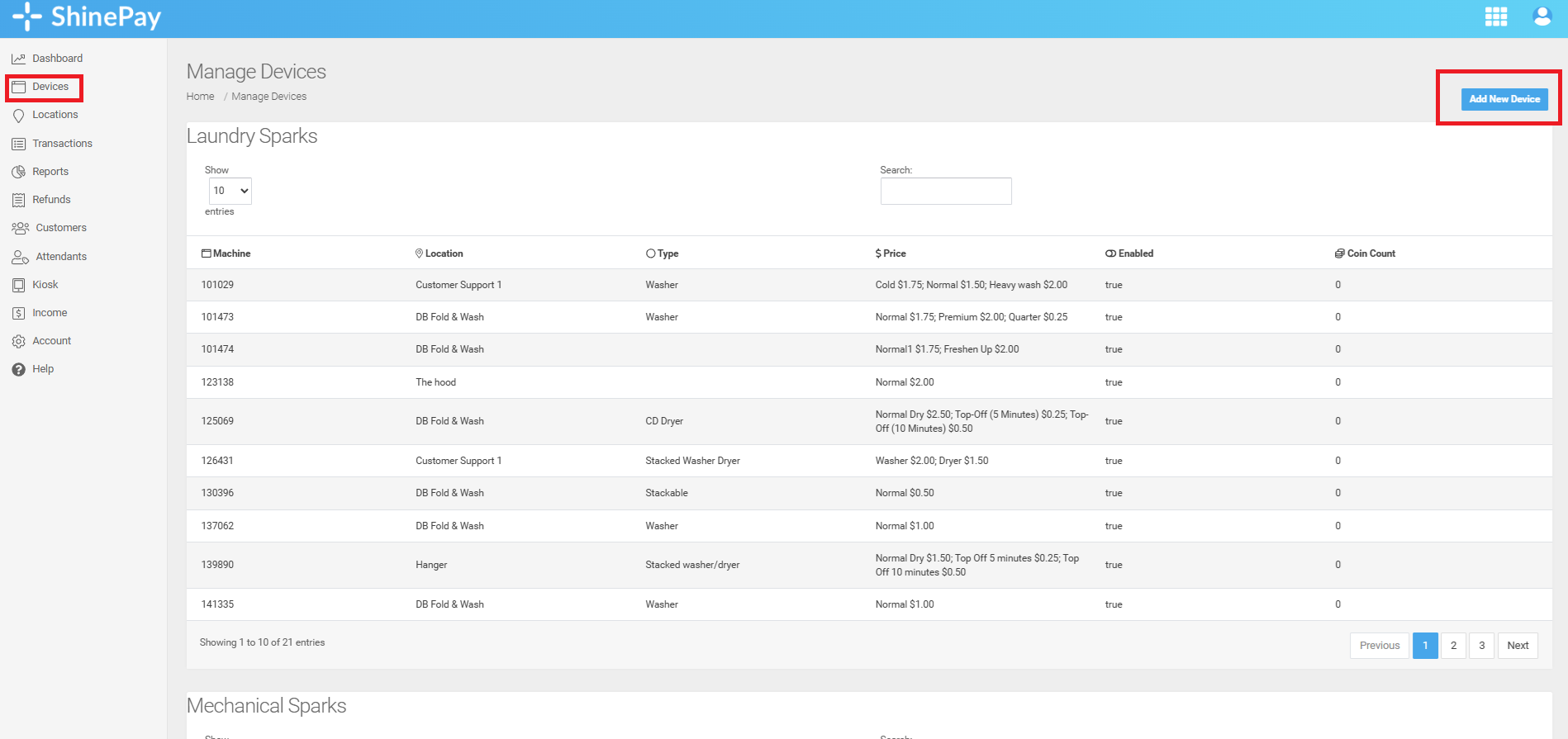
Step 1. Go to the "Devices" page and click the "Add New Device" button.
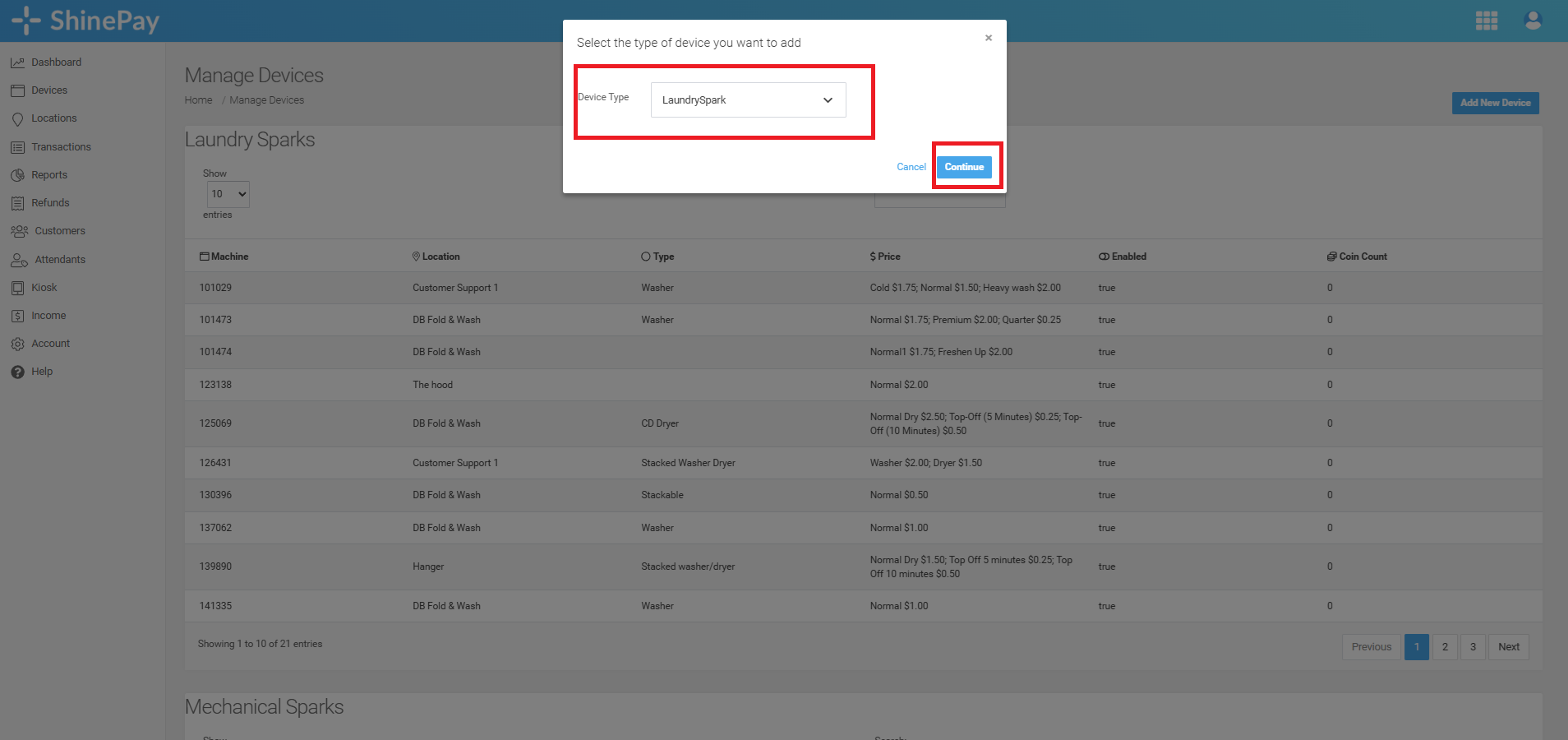
Step 2. Select the type of device you want to add then click "Continue"
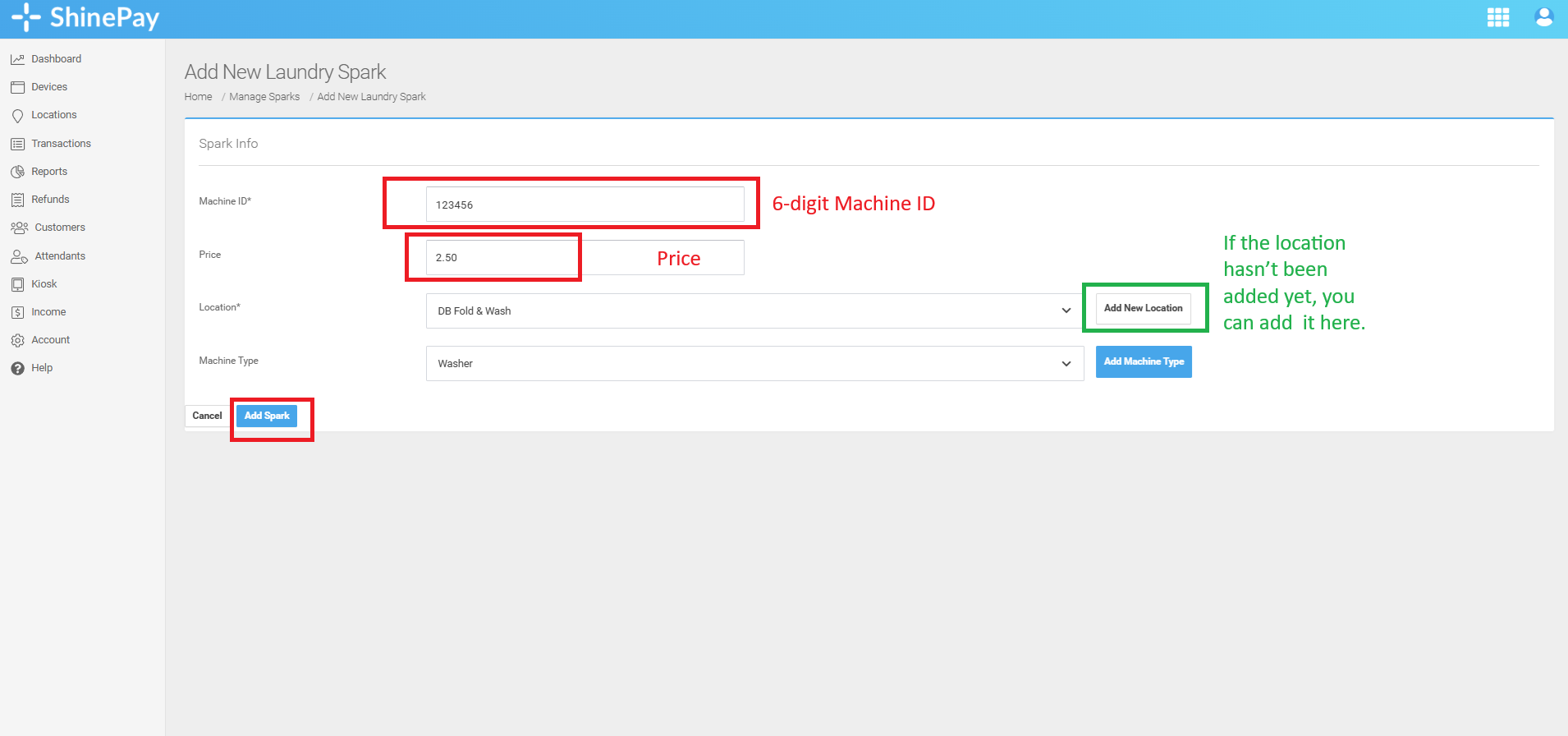
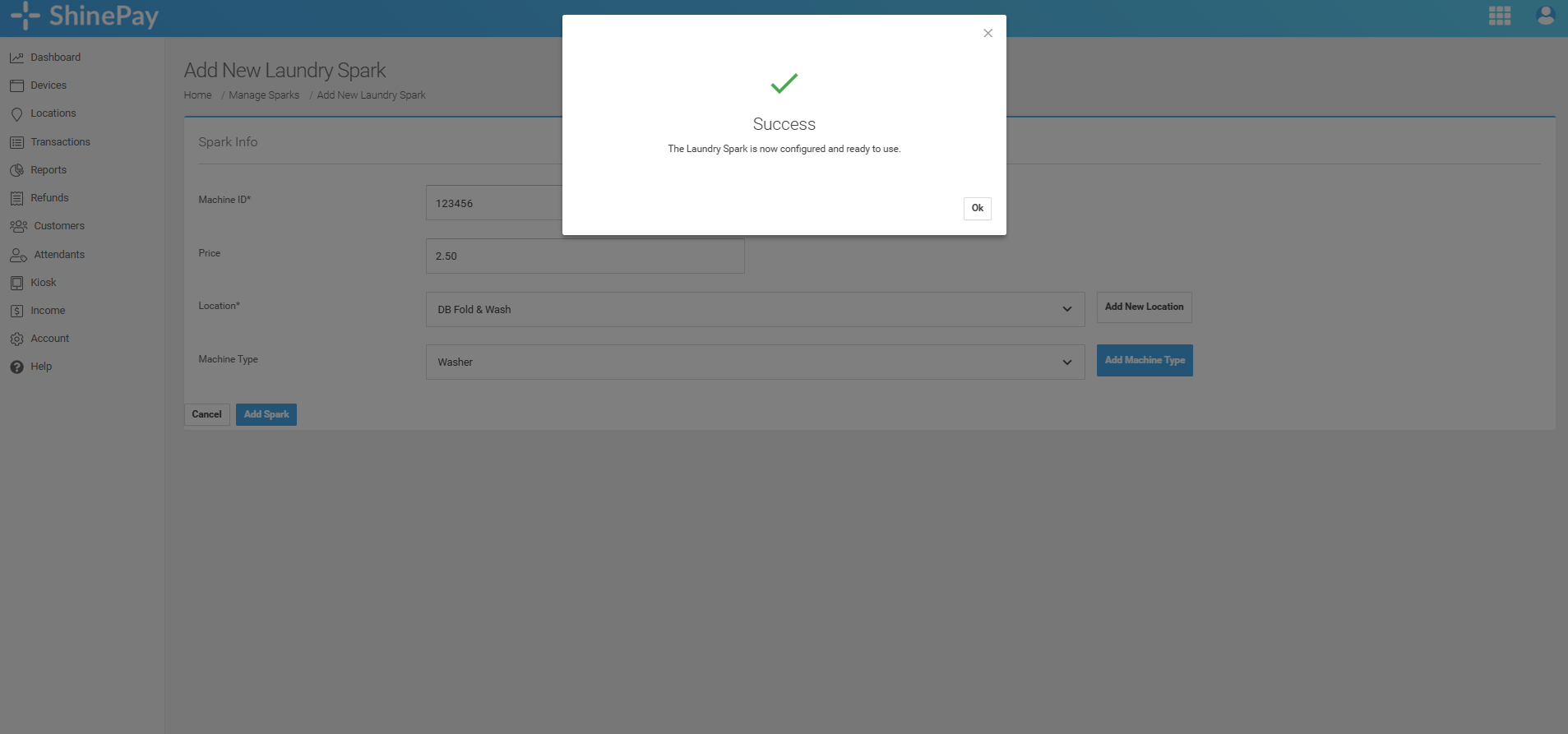
Step 3. Fill out the Machine ID, Price, Location, and Machine Type then click "Add Spark".

Modified on: Thu, 2 Apr, 2026 at 10:25 AM
Step 1. Go to the "Devices" page and click the "Add New Device" button.
Step 2. Select the type of device you want to add then click "Continue"
Step 3. Fill out the Machine ID, Price, Location, and Machine Type then click "Add Spark".
Did you find it helpful? Yes No
Send feedback