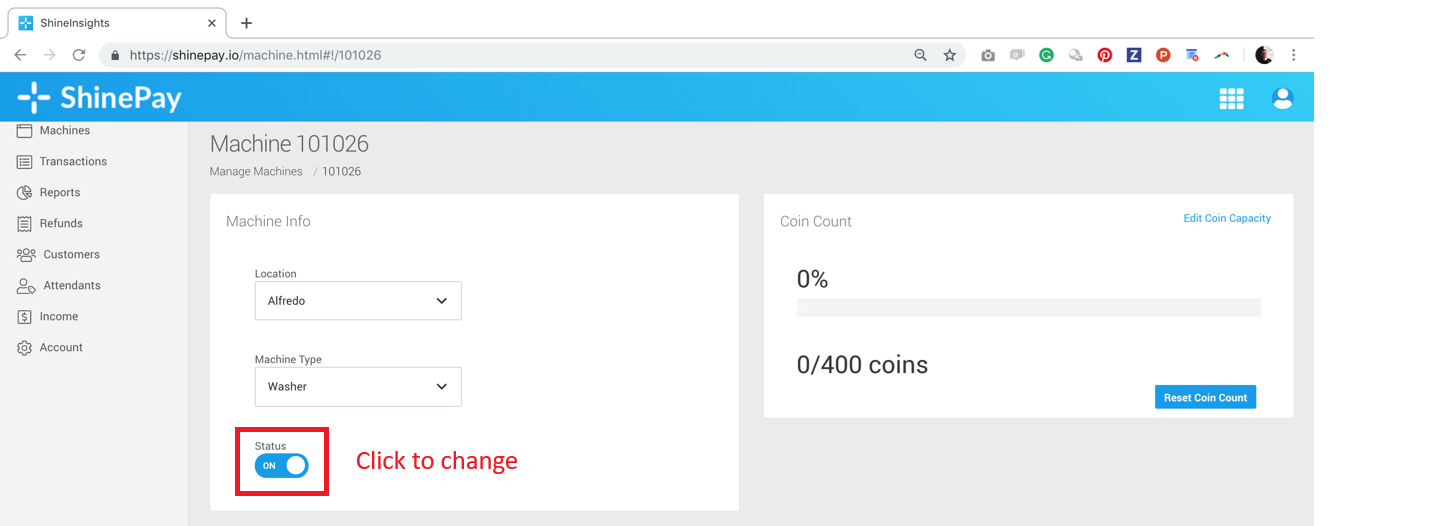
Disabling a machine prevents users from making payments for it through the ShinePay App.
This feature is especially useful when you are planning maintenance, ensuring tenants don't accidentally pay for a machine that is temporarily out of service.
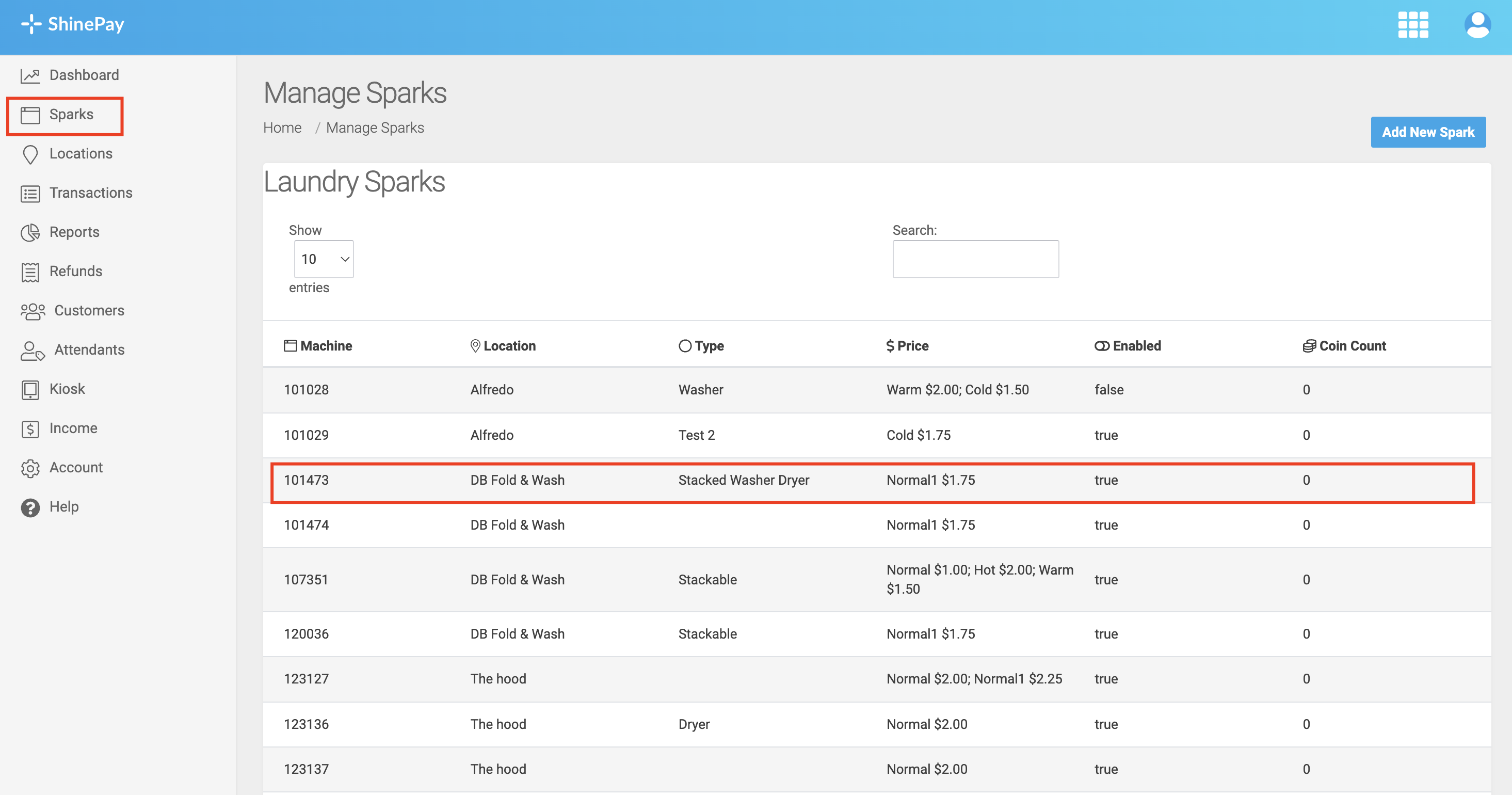
Step 1. Click the Sparks/Devices tab, then select the machines you want to edit.
Step 2. Change the Status option to OFF/ON.