
Overview: ShineInsights lets operators grant others access to their account by assigning them a specific access level. Each access level supports different responsibilities, helping operators control who can access account information and manage machines and devices.
There are three access levels available:
- Owner: Full access to the ShineInsights account.
- Accountant: Access to financial information and reports.
- Tech: Access to machines and devices.
How to Add a User: Follow these steps to give another person access to your ShineInsights account.
Note: You can invite a user or email that is not currently associated with a ShinePay account. The invited user can create a ShinePay account using the same email address afterward and will have access to the operator account they were invited to, with the permissions assigned to them.
- Log in to your ShineInsights account at https://shinepay.io/
- Navigate to the Accounts page.
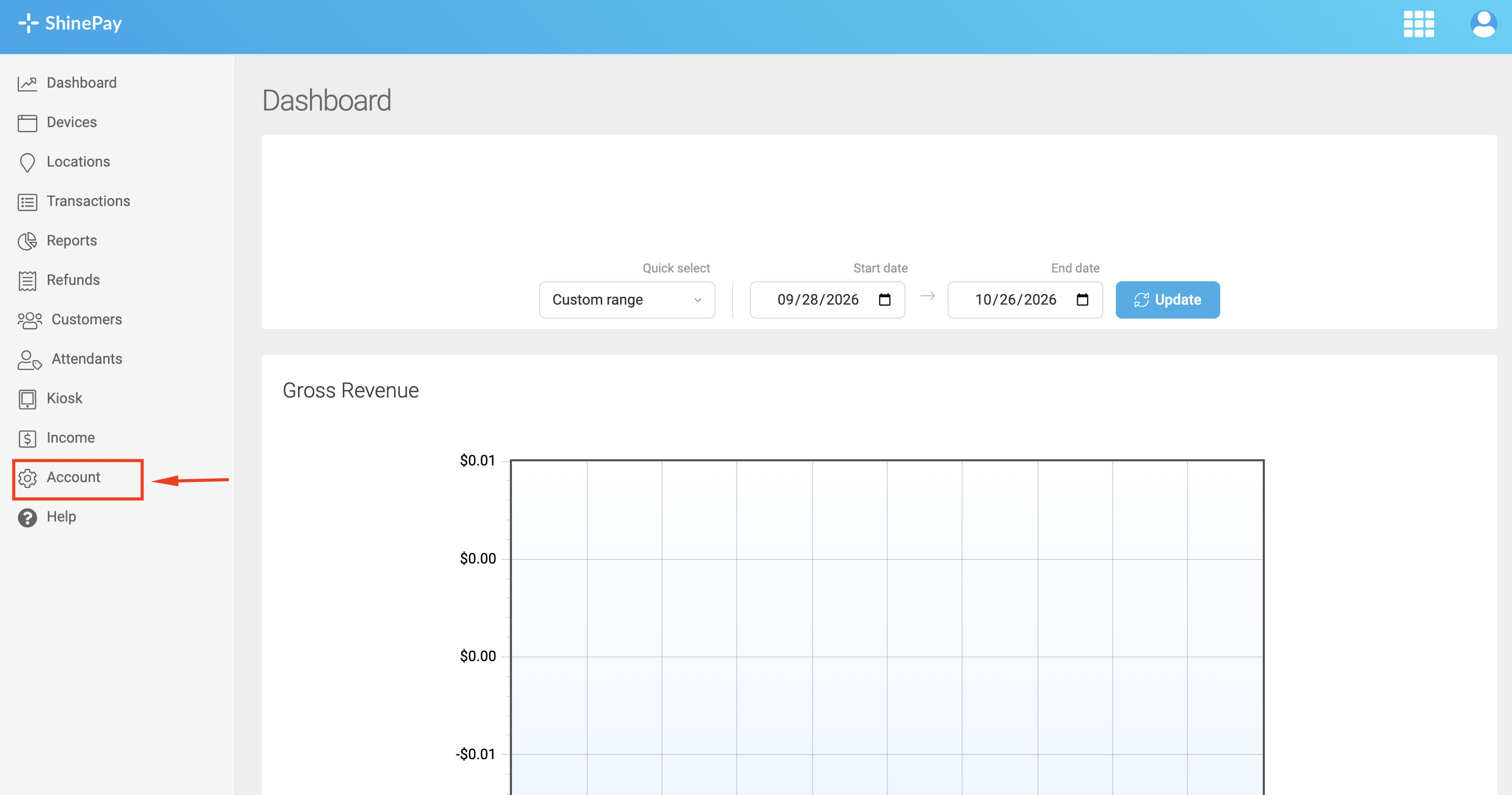
- On the Account Information page, locate the option "Users with access". Then click or select Add User.
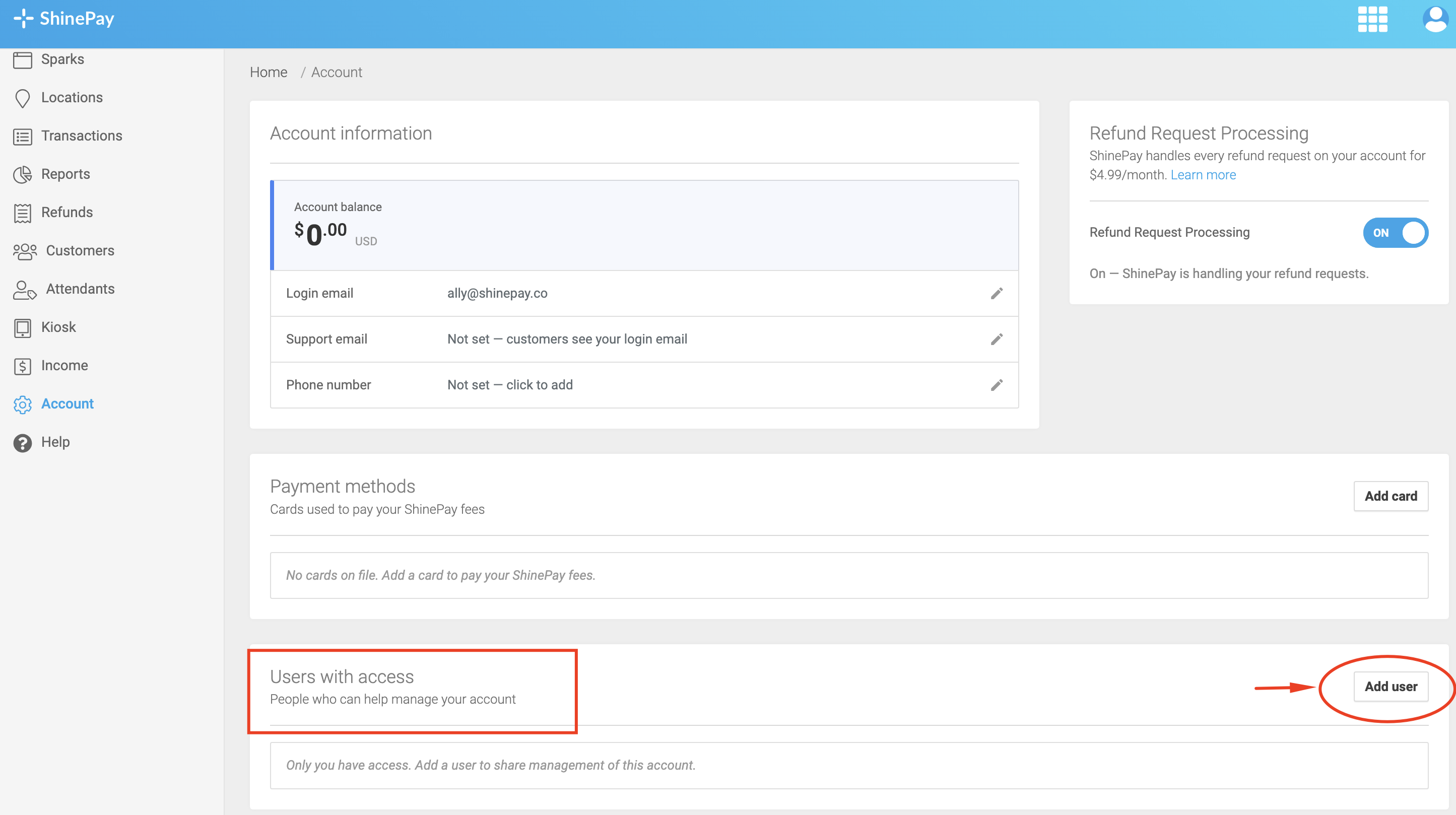
- Enter the user's first name and last name.
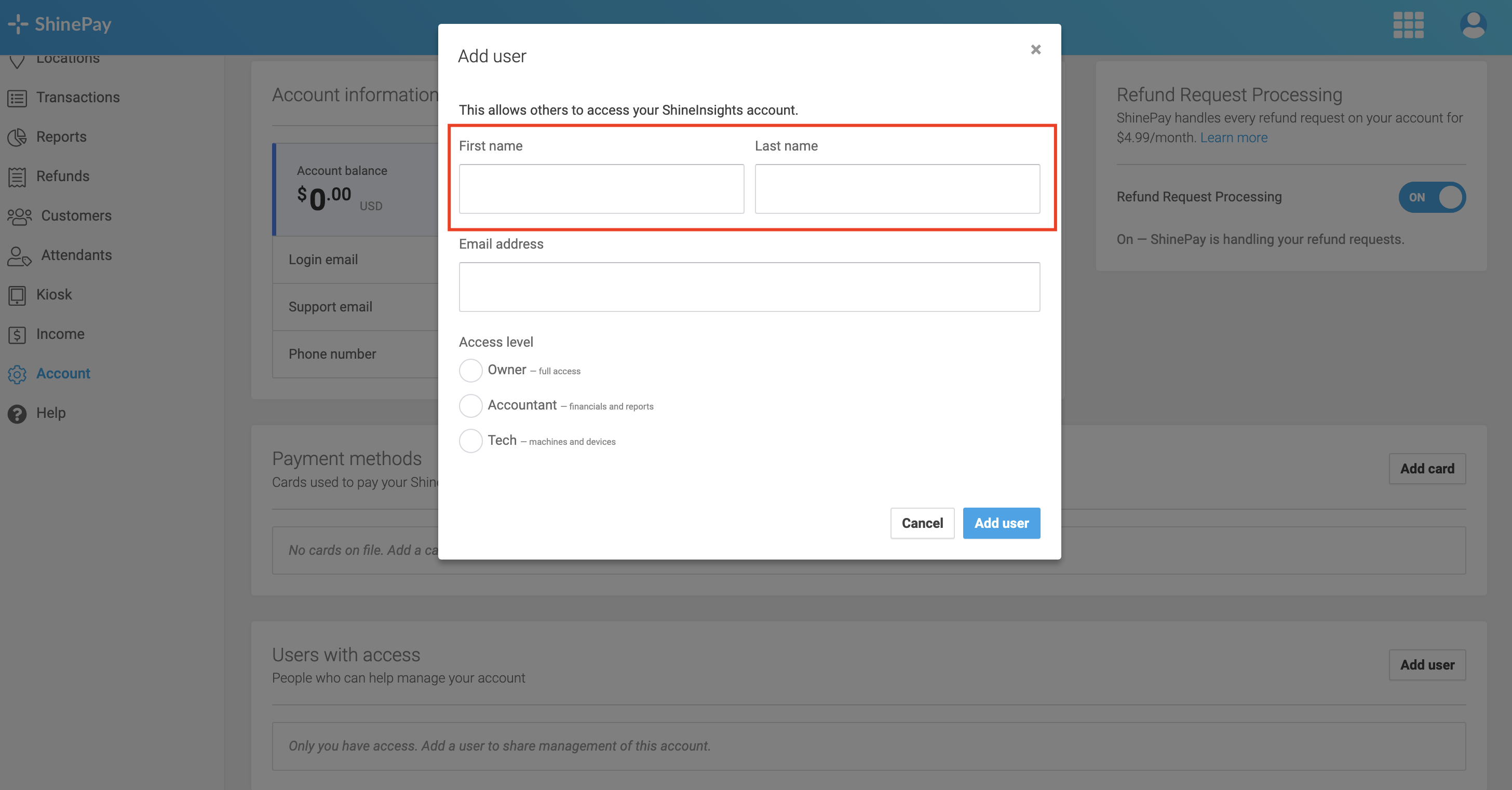
- Enter the user's email address.
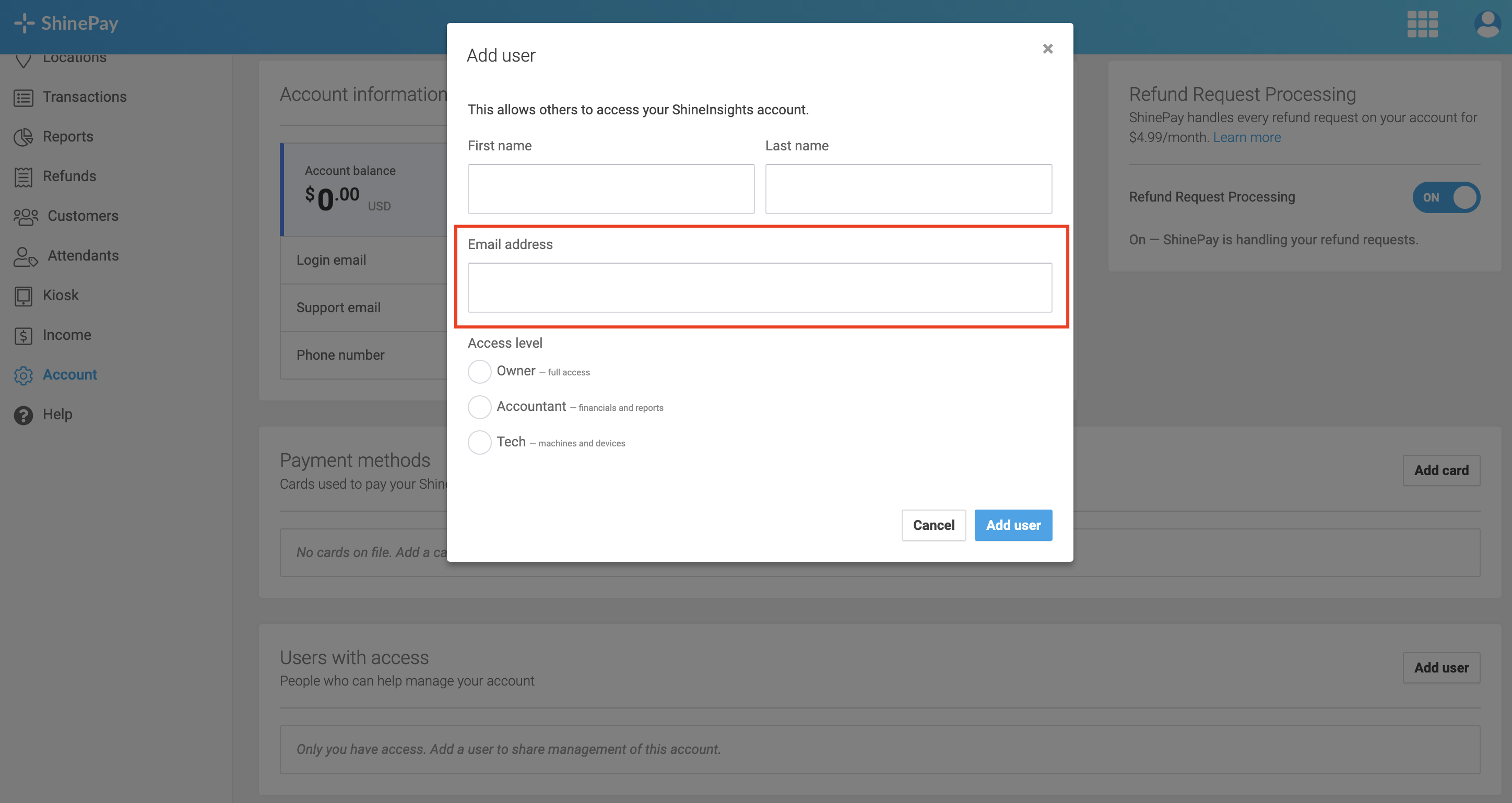
- Select the appropriate access level: Owner - Full access, Accountant - Financial information and reports, Tech - Machines and devices.
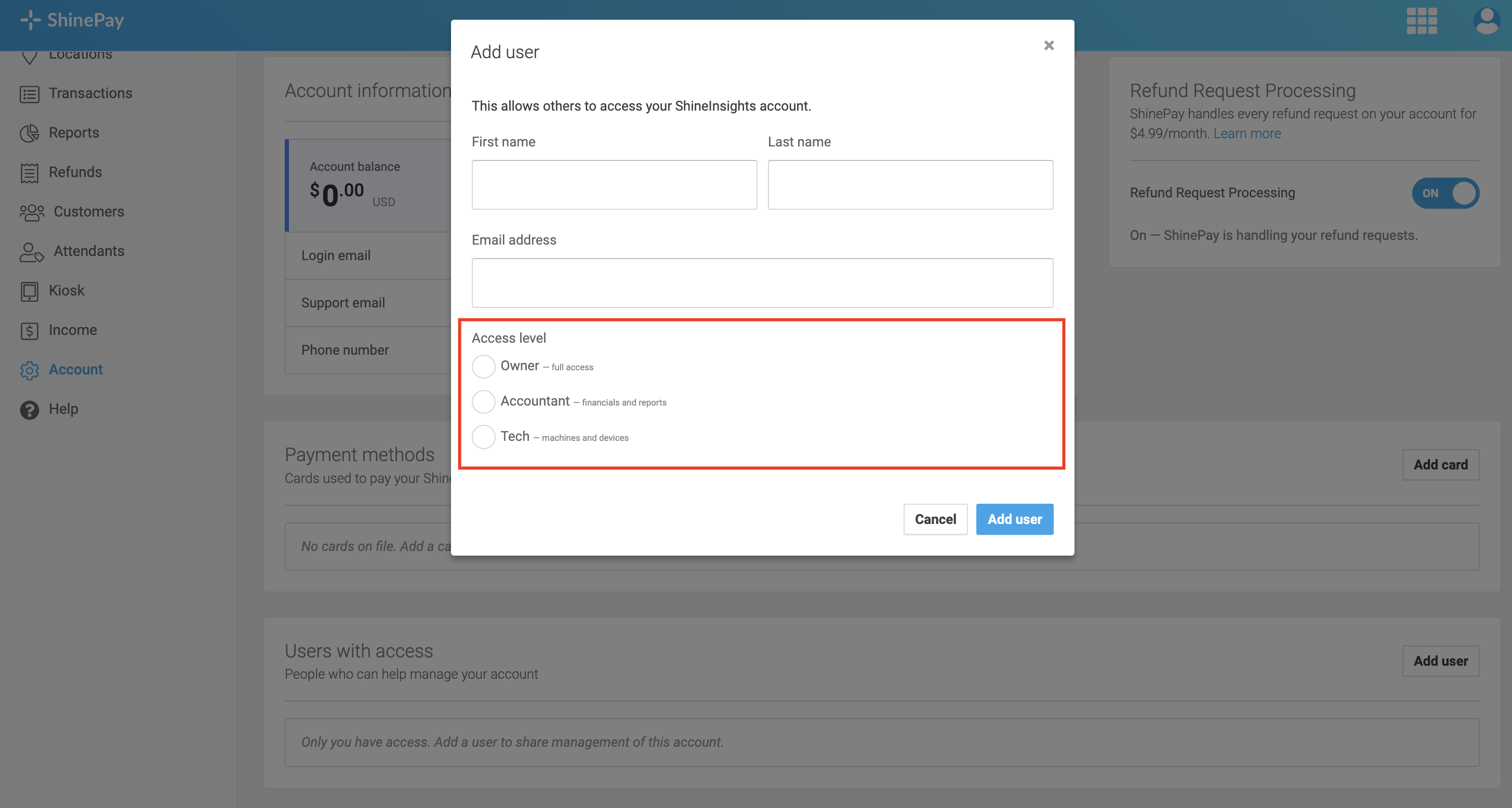
- Please review the information and selected access level to make sure everything is correct.
- Click Add User to complete the process.
The user will then be added to your account according to the access level you selected.
How to Switch Between Operator Accounts
Users who have access to multiple operator accounts can switch between them in ShineInsights.
- Navigate to the Accounts page.
- Locate the Switch Account field under Account Information.
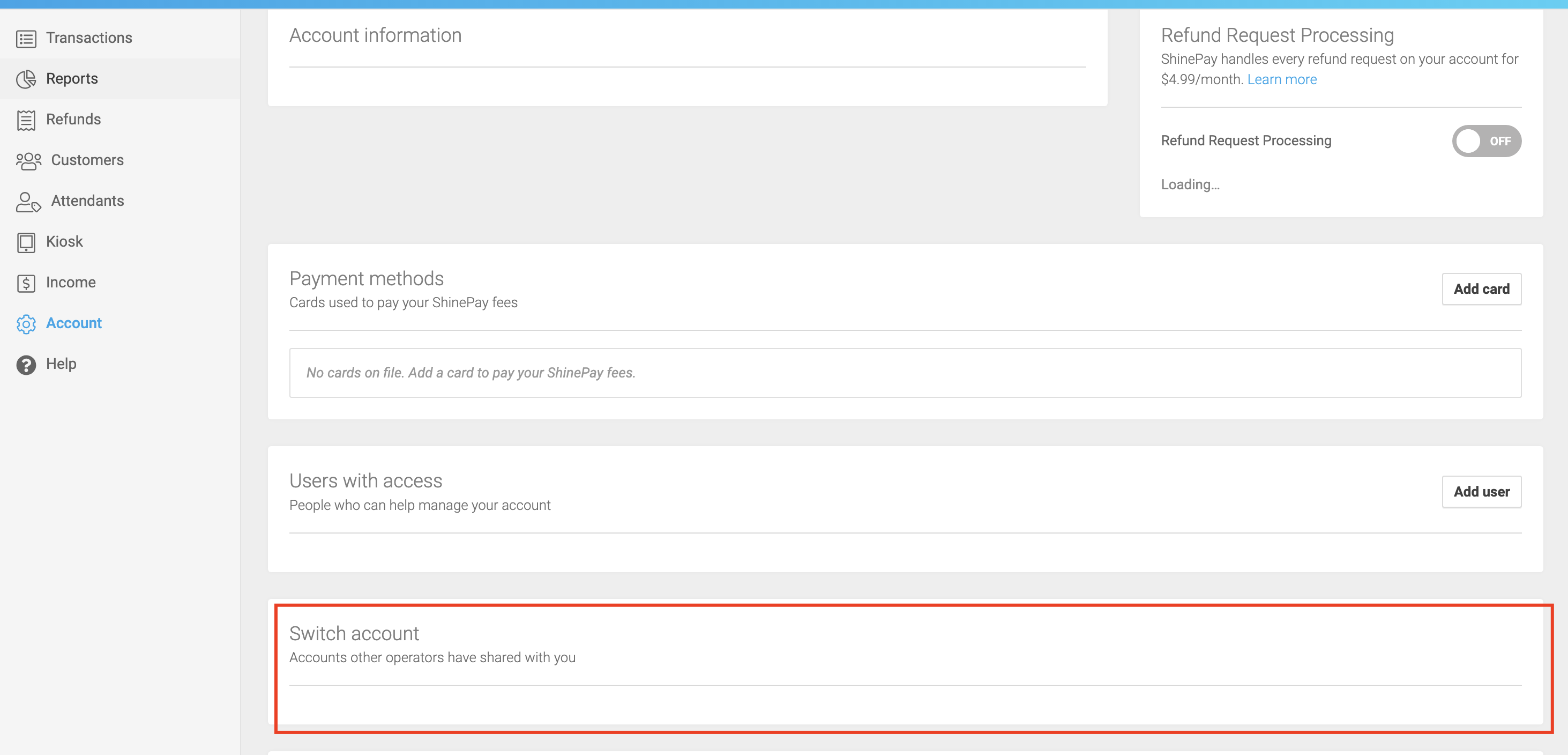
- Select the operator account you want to view.
You'll then be able to access the selected operator account according to the permissions assigned to you.
Note: The actions available to you depend on your assigned access level.